
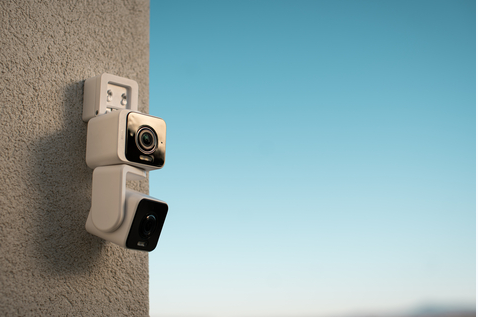
Wyze Camera 2026: The Complete Deep Dive Guide for US, UK & Australian Buyers.
A Wyze camera is arguably the ultimate proof that you don’t need to spend hundreds of dollars for decent home security.
Over the past decade, Wyze has built a loyal following by making smart home monitoring accessible without sacrificing essential features.
From the cluttered corners of an apartment in Seattle to the dimly lit alleyways of Melbourne and the rainy doorsteps of London, these little cubes and pan-tilt units have quietly become the go-to solution for budget conscious homeowners and renters around the world.
In this deep‑dive guide, we’ll explore the full 2026 Wyze camera lineup from the flagship v4 to the versatile Pan v3 and the powerful Floodlight v2.
We’ll break down which model fits your specific use case, explain the subscription options, compare Wyze to competitors like Ring, Blink, and Eufy, and give you practical advice on how to get your hands on one, whether you’re in the US, the UK, or Australia.
Table of Contents
The Wyze Story: From Startup to Smart Home Staple.
Wyze started with a simple, almost audacious idea: a $20 security camera that actually works. Launched in 2017, the original Wyze Camera disrupted an industry where competitors like Nest and Arlo were charging ten times as much for similar hardware.
The formula worked: aggressive pricing, easy setup, and a mobile app that didn’t feel like it was designed by a committee.
Today, Wyze sells millions of devices globally, expanding into smart bulbs, locks, vacuums, and wearables. But at its core, the brand remains a camera company and the camera lineup in 2026 is more mature than ever, spanning eight distinct models from basic 1080p units to 4K pan‑and‑tilt systems.
One major note on trust: Wyze went through a rough patch with significant security incidents in 2024, including a breach that exposed private home video feeds to strangers.
Since then, the company has invested heavily in security: adding new engineering positions, performing regular penetration testing, and reducing reliance on third‑party vendors.
CNET is now beginning to recommend Wyze products again, a clear sign that the brand has rebuilt much of its credibility.
The 2026 Wyze Camera Lineup.
Every Wyze camera undercuts competitors on price while matching or beating them on core features. Here’s the full family.
| Model | Resolution | Best For | Key Feature | Price (USD) |
| Wyze Cam v4 | 2.5K QHD | All purpose indoor/outdoor | Color night vision, spotlight, IP65 | ~$36 |
| Wyze Cam Pan v3 | 1080p | Full‑room scanning, pets | 360° rotation, motion tracking | ~$50 |
| Wyze Cam Floodlight v2 | 1080p | Driveways, backyards | 2600 lumen LED floodlights | ~$120 |
| Wyze Cam OG | 1080p | Budget monitoring | Built‑in spotlight | ~$20 |
| Wyze Cam OG Telephoto | 1080p | License plates, zoomed views | 3× optical telephoto lens | ~$40 |
| Wyze Battery Cam Pro | 2K | Wireless outdoor | Solar panel compatible | ~$90 |
| Wyze Video Doorbell Pro | 1440p | Front door | Head‑to‑toe view, color night vision | ~$70 |
Wyze Cam v4 – The Flagship All‑Rounder.
The Cam v4 is the best sub‑$40 smart camera money can buy in 2026. It’s a 2.5K QHD camera with a Starlight sensor that delivers vibrant color night vision, even in near darkness.
The built in motion activated spotlight and siren add a layer of deterrence, while the IP65 weatherproof rating means you can confidently mount it under an eave or leave it on a shady porch.
Why it wins: For the price, the image quality is genuinely impressive. The 2.5K sensor pulls in noticeably finer detail than 1080p models, and the wide dynamic range keeps scenes balanced even with tricky lighting.
Potential downsides: Connectivity can be inconsistent at the edge of Wi‑Fi range, and the motion detection sensitivity may need fine‑tuning to avoid false alerts or missed events.
Best for: The v4 is the default recommendation for almost anyone. It works indoors, outdoors, in covered mounts, and performs equally well for nurseries, backyards, and garages.
Wyze Cam Pan v3 – The Room Scanner.
If you want a single camera to watch an entire room, the Pan v3 is your answer. It rotates a full 360° and tilts 118°, complete with motion tracking that follows moving subjects. When you’re not watching, it can patrol automatically, scanning programmed waypoints.
The Pan v3 is also weather resistant (IP65), making it suitable for covered outdoor areas like a porch or workshop. It shares the same 1080p resolution and Starlight color night vision as the older v3, so video quality is solid but not as sharp as the v4.
Best for: pet owners, wide open living spaces, garages, and anyone who wants to scan a room on demand without installing multiple fixed cameras.
Wyze Cam Floodlight v2 – The Backyard Guardian.
The Floodlight v2 turns any dark driveway or backyard into a brightly lit security zone. It pairs a dual‑camera system with two powerful floodlights (2600 lumens total) and a 1080p sensor. The 180° field of view eliminates dead zones, capturing everything from directly beneath the camera to 50 feet away.
The built in motion detection can distinguish between people, animals, and vehicles, and the 99dB siren plus floodlights provide a strong visual deterrent. Setup is straightforward if you’re replacing an existing junction box, but you’ll need some basic electrical comfort.
Best for: Driveways, backyards, side gates any dark area where you want to light up intruders and capture clear footage.
Wyze Cam OG & OG Telephoto – The Budget Workhorses.
For the absolute lowest cost of entry, the Wyze Cam OG delivers solid 1080p HD video with color night vision and a built in spotlight for just $20.
The OG Telephoto adds a dedicated 3× optical telephoto lens alongside the standard wide angle, giving you a zoomed in view of distant objects without losing detail, perfect for monitoring a gate, driveway end, or license plate recognition.
Best for: rental properties, short term monitoring, or anyone who just wants “a camera that records” without advanced features.
Wyze Battery Cam Pro – The Cord Free Option.
The Battery Cam Pro is Wyze’s most advanced wire free camera, offering 2K resolution, a built in spotlight, and compatibility with a separately sold solar panel for continuous charging.
It can be placed anywhere within WiFi range on a tree, fence, or shed without worrying about power outlets.
The trade off is slightly slower motion triggering compared to wired models (battery saving mode adds a second of delay), and you’ll need to bring it indoors every few months to recharge unless you use solar.
Best for: Locations without power outlets: sheds, dark corners of the garden, construction sites.
Wyze Cam Plus: What You Get (and Don’t Get) for Free
One of Wyze’s biggest selling points is that every camera works without a monthly subscription. You get free 12‑second event clips stored in the cloud for 14 days, live view, and local recording via a microSD card (up to 256GB).
For many people, that’s enough. However, the free tier has two major limitations: a 5‑minute cooldown between event clips (meaning you’ll miss the first 30 seconds of a second event if it happens right after the first), and no advanced AI detection.
Wyze Cam Plus ($2.99/month per camera or $9.99/month unlimited) removes the cooldown, extends the clip length to 5 minutes, and adds AI detection for people, pets, packages, and vehicles.
Wyze Cam Plus Pro ($9.99/month per camera) adds face recognition and 60‑day cloud storage.
Cam Unlimited is an account level plan that covers all your Wyze cameras for a single fee (around $13/month depending on region) ideal if you have more than three cameras.
Wyze’s paid plans are easily the cheapest in the industry, costing significantly less than Ring ($3.99/month) or Arlo ($7.99/month) while offering comparable or better AI features.
Performance: Video Quality, AI, and Real World Reliability.
Video & Night Vision.
The v4’s 2.5K sensor produces noticeably sharper footage than older 1080p models, and the Starlight color night vision is genuinely impressive for a camera at this price point. The Floodlight v2’s 180° view captures wide areas without panning, and the 2600 lumen floodlights turn night into day.
AI Detection.
Wyze bundles person, pet, vehicle, and package detection into its $2.99/month plan features that competitors often lock behind higher tiers or charge extra for. On device processing means alerts arrive quickly (no round trip to the cloud), and false positives are surprisingly low once you fine tune the motion zones.
Reliability & Common Issues.
Like any budget electronics brand, Wyze isn’t perfect. The most common complaints include WiFi disconnections (especially with the OG and older models), error code 90 (device offline), and spotty microSD playback after firmware updates.
If your camera goes offline, the first step is always a power cycle: unplug it for 10 seconds and plug it back in. For persistent issues, a factory reset and a static IP address reserved in your router settings often work wonders.
Wyze camera vs. Ring, Blink, and Eufy: Where Does It Stand?
vs. Ring: Wyze wins on price and subscription value. A Cam v4 costs $36 compared to Ring’s $60–$100 models, and Wyze’s $2.99/month plan unlocks AI detection, while Ring’s equivalent starts at $3.99. Ring wins on ecosystem depth (Ring Alarm, Neighbors app, deeper Alexa integration).
vs. Blink: Wyze camera offers better low light performance (Starlight sensor) and free local storage via microSD, while Blink requires a separate Sync Module for local recording. Blink wins on battery life (two years on AAs for Outdoor 4) and a slightly louder siren.
vs. Eufy: Eufy offers local only encrypted storage via its HomeBase hub, appealing to privacy focused users. Wyze is cheaper upfront and offers more flexible cloud options. For users who prioritize privacy above all else, Eufy is the safer pick; for everyone else, Wyze provides better value.
Buying Guide: US, UK & Australia.
United States (Easy).
Wyze cameras are readily available at Amazon, Home Depot, and directly from the Wyze official website Standard shipping is fast, and returns are hassle free. You can also find refurbished units or “seconds” on the Wyze website for a discount. As of 2026, Wyze has also partnered with Ace Hardware for in store availability.
United Kingdom (Freight Forwarding Required).
Official UK distribution remains nonexistent, leaving British buyers to source their cameras directly from the US. The process:
- Sign up for a freight forwarding service like comGateway to get a tax free US address (they have a location in Oregon).
- Place your order on Amazon US or the Wyze website, using that US address as the shipping destination.
- Once the package arrives at the forwarder’s warehouse, choose an international shipping method (DHL, FedEx, USPS) and pay the shipping cost (approx. $20–$30).
- The camera arrives in 5–10 business days. Be prepared for UK import duties and VAT (roughly 20% of the declared value).
The Wyze Cam v4 is a wired device with no lithium batteries, so it’s easy to ship without extra hazardous material fees.
Australia (Freight Forwarding Also Required).
Like the UK, Wyze does not officially distribute to Australia. Most Australians turn to Amazon US or the official Wyze webstore, then use a freight forwarding service to complete the delivery. The same process applies: get a US address, place your order, pay international shipping, and cover customs duties.
The price difference is often significant. Australian grey‑market sellers frequently mark up a $36 camera to $70–$80 or more, making direct import a worthwhile savings even after adding shipping and tax.
Setup, Care & Maintenance of Wyze Camera
Setting up a Wyze camera takes under five minutes: download the Wyze app, create a free account, scan the QR code, and connect to a 2.4 GHz WiFi network. One crucial note: Wyze camera do not support 5 GHz WiFi, so make sure your router broadcasts a 2.4 GHz network.
For outdoor mounting, use the included magnetic base or optional screw mounts. Add a microSD card (up to 256GB, formatted in the app) for continuous local recording; no cloud is required.
Cleaning: Wipe the lens with a microfiber cloth every few months to keep video sharp. Check for spider webs or debris around the camera body monthly. If your camera is in a dusty environment (garage, workshop), blow out the speaker and mic openings with compressed air.
Troubleshooting: Most issues are resolved by a power cycle (unplug for 10 seconds). For offline errors after a firmware update, perform a factory reset and set up the camera as new. If error code 90 persists, assign a static IP address to the camera in your router settings.
FREQUENTLY ASKED QUESTIONS (FAQS).
Can Wyze cameras be used without the internet?
In particular, you can schedule a recording to a microSD card; as long as the camera has power, it will record even if the WiFi stops working. This feature allows some Wyze Cam devices to function even when they are not connected to the internet.
How long does a 256GB SD card last in a Wyze camera?
I’ve had no problems using the 128 GB cards for at least two years and the 256 GB cards for at least a year. If you want a full two weeks, opt for 256, which should give you about three weeks. In my experience, 128 GB takes nine to eleven days (depending on the image’s complexity and motion).
How much is a Wyze camera?
Wyze security cameras are very reasonably priced; depending on the model and features, they typically cost between $30 and $100. Although there are paid subscriptions, basic cloud storage is free.
How long do Wyze camera batteries last?
On a single charge, Wyze battery-operated cameras usually last three to six months. However, your daily activities and settings have a significant impact on this longevity. While regions with high foot traffic or continuous recording may deplete the battery considerably more quickly, cameras that capture 10–20 motion events per day will meet this 6-month criteria.
Is Wyze cheaper than ring?
Wyze’s products are frequently less than half as expensive as those of their immediate Ring rivals. For the same amount of money that you would spend on only one or two Ring devices, you can now secure more doors, windows, and perimeter points.
